
Accounting Automation Solutions:
How It Works, Benefits, and What You Can Automate
Modern businesses generate large volumes of financial data every day. Manual accounting processes slow down operations, increase the risk of errors, and delay financial insights.
Accounting automation solves these problems by using software, AI tools, and workflow automation to handle repetitive financial tasks automatically.Businesses can streamline invoicing, expense management, payroll, and financial reporting while gaining real time visibility into their financial performance.
Simplify Accounting and Eliminate Manual Work
Accounting automation replaces repetitive financial tasks with automated workflows. Instead of manually entering invoices, reconciling transactions, or generating reports, automation tools capture, process, and organize financial data instantly. This improves efficiency and allows finance teams to focus on financial planning, analysis, and strategic decisions.
Key Highlights
Automate invoices and financial workflows
Reduce manual data entry and accounting errors
Accelerate financial reporting and reconciliation
Gain real time financial visibility and insights
Schedule a Free Automation Consultation with SolutionWala
What Is Accounting Automation?
Accounting automation is the use of software and intelligent workflows to automatically perform financial processes that traditionally require manual work. Automation tools collect financial data, process transactions, categorize records, and update accounting systems without manual input.
Accounting automation combines rule based workflows with AI driven financial tools to improve accuracy and speed. These systems integrate directly with accounting software and business platforms to keep financial records updated in real time.
Common accounting automation processes include:
How Accounting Automation Works
Accounting automation uses digital workflows to capture financial data, process transactions, and update accounting records automatically. These workflows reduce manual intervention and ensure financial accuracy.
Typical accounting automation workflow:
Key Benefits of Accounting Automation
Save Time and Reduce Manual Work
Automation eliminates repetitive tasks such as data entry, invoice processing, and reconciliation. Finance teams spend less time on routine operations and more time on financial analysis and strategy.
Improve Financial Accuracy
Automated systems reduce human errors in data entry and calculations. Transactions are processed consistently according to predefined accounting rules, improving overall financial accuracy.
Accelerate Month End Close
Accounting automation speeds up reconciliation and reporting processes. Businesses can close their books faster and generate financial statements without delays.
Strengthen Compliance and Audit Trails
Automated accounting systems maintain detailed records of transactions, approvals, and changes. This creates a transparent audit trail that helps businesses maintain regulatory compliance.
Improve Cash Flow Visibility
Real time dashboards and financial reports provide clear insights into revenue, expenses, and cash flow. Businesses can monitor financial performance and make informed decisions.
Reduce Operational Costs
By reducing manual work and minimizing errors, accounting automation lowers operational costs and improves financial efficiency.
Accounting Processes You Should Automate
Accounts Payable Automation
Automates vendor invoice processing, approval workflows, and payment scheduling. This reduces processing time and prevents duplicate payments.
Accounts Receivable Automation
Automatically generates invoices, tracks payments, and sends reminders to customers. This improves collections and reduces overdue payments.
Expense Management
Captures receipts, categorizes expenses, and records transactions automatically. Employees can submit expenses digitally, reducing paperwork and manual approvals.
Payroll Processing
Automates salary calculations, tax deductions, and employee payments. Payroll automation ensures compliance with tax regulations and reduces administrative workload.
Financial Close and Reconciliation
Matches bank transactions, reconciles accounts, and updates financial records automatically. This simplifies the month end closing process.
Procurement and Purchase Orders
Automates purchase requests, approval workflows, and vendor management. Procurement automation ensures accurate tracking of spending.
Cash Flow Forecasting
Automation tools analyze financial data and generate cash flow forecasts. Businesses can predict financial trends and plan future expenses.
Examples of Accounting Automation Workflows
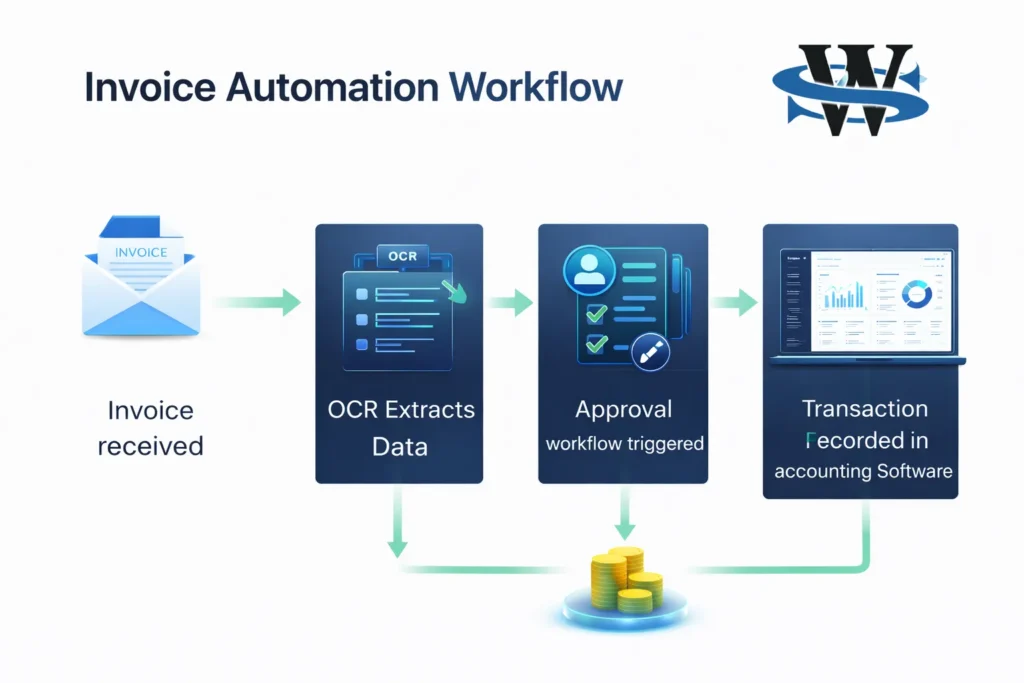
Invoice Automation Workflow
Step 1: Invoice Received from Vendor
The process starts when a vendor sends an invoice to the company. The invoice may arrive through email, an online portal, or as a scanned document. The system captures and stores the invoice in the digital workflow.
Step 2: OCR Extracts Invoice Data
Optical Character Recognition (OCR) technology scans the invoice and extracts key information such as vendor name, invoice number, date, line items, amounts, and payment terms. This converts the document into structured, machine-readable data.
Step 3: System Validates Invoice Details
The automation system checks the extracted data against predefined rules and records. It verifies details like purchase orders, vendor information, pricing accuracy, and duplicate invoices to ensure the invoice is legitimate and accurate.
Step 4: Approval Workflow Triggered
Once validated, the system automatically routes the invoice to the appropriate manager or department for approval. Notifications are sent to approvers, and the approval process follows predefined rules based on invoice value or department.
Step 5: Payment Scheduled Automatically
After approval, the system schedules the payment according to the invoice terms. Payment dates, methods, and financial records are prepared automatically, ensuring vendors are paid on time.
Step 6: Transaction Recorded in Accounting Software
Finally, the approved invoice and payment details are automatically recorded in the accounting system. This keeps financial records updated in real time and maintains accurate books without manual data entry.
Accounting Automation Tools and Integrations
Modern accounting automation platforms integrate with accounting software, ERP systems, and business tools to synchronize financial data across the organization.
Common integrations include:
These integrations allow businesses to maintain accurate financial records across multiple systems.
How to Implement Accounting Automation
Audit Your Current Accounting Processes
Review existing financial workflows and identify tasks that rely heavily on manual work.
Identify Repetitive Workflows
Focus on processes such as invoice processing, expense tracking, and reconciliation that can benefit from automation.
Select the Right Automation Tools
Choose automation software that integrates with your accounting platform and supports your business requirements.
Integrate with Existing Systems
Connect automation tools with accounting software, ERP systems, and financial databases.
Train Your Accounting Team
Provide training so finance teams can use automation tools effectively and monitor automated workflows.
Monitor and Optimize Workflows
Regularly review automation performance and optimize workflows to improve efficiency and accuracy.
Challenges of Manual Accounting
Manual accounting processes create operational challenges for growing businesses.
Common problems include:
Accounting automation helps eliminate these challenges by streamlining financial operations.
Accounting Automation Costs
The cost of accounting automation depends on several factors.
Despite the initial investment, automation significantly reduces operational costs and improves financial efficiency.
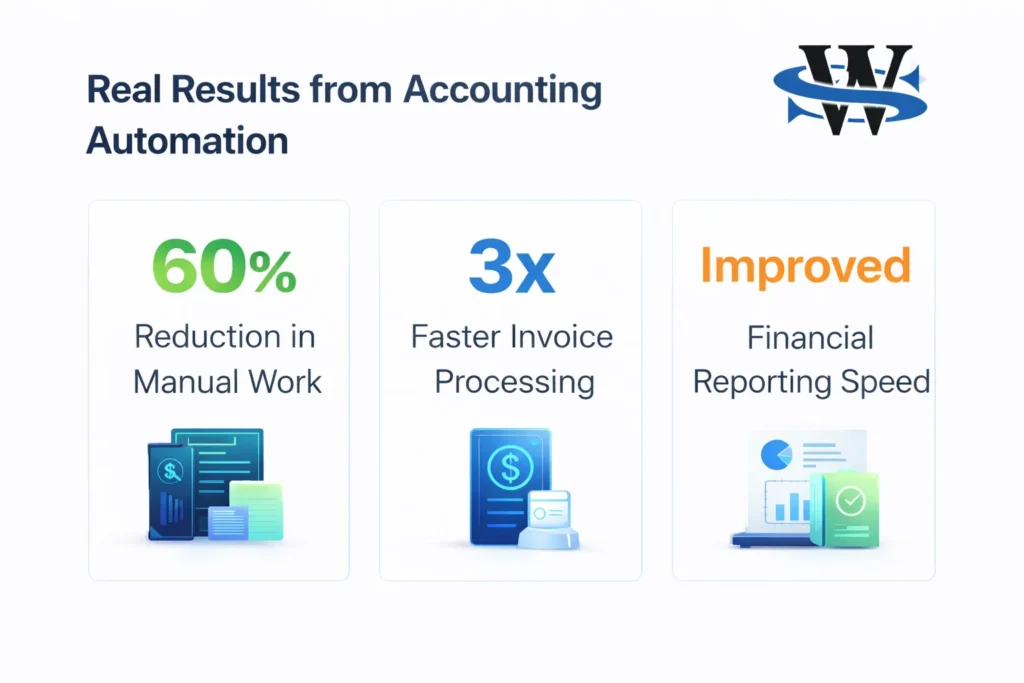
Real Results from Accounting Automation
Businesses that implement accounting automation often see measurable improvements.
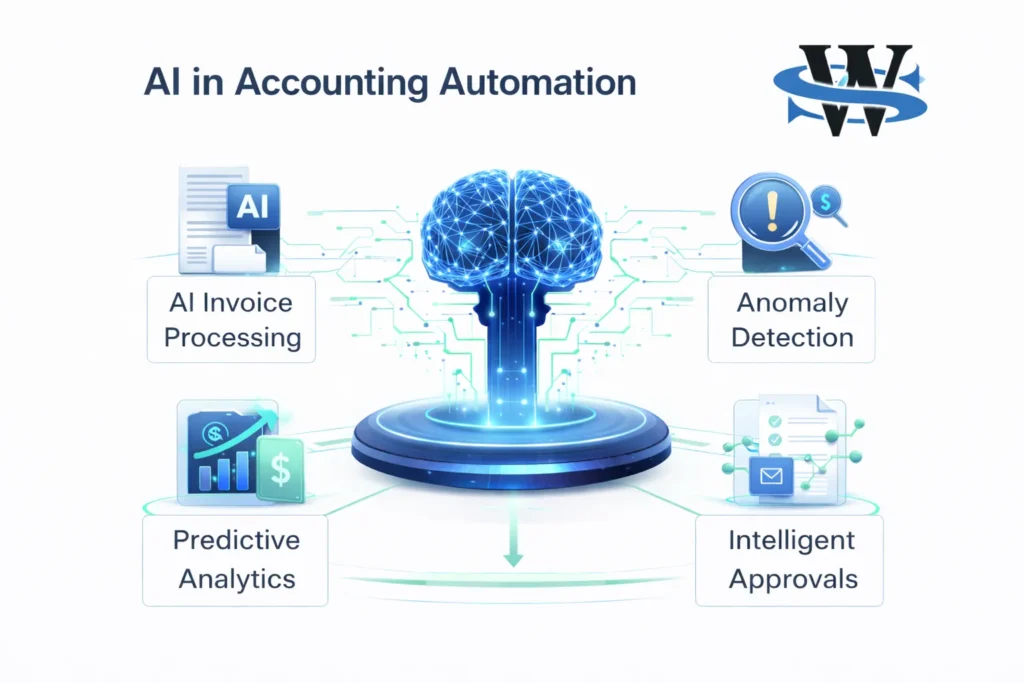
AI in Accounting Automation
Artificial intelligence is transforming modern accounting automation by enabling intelligent financial processing.
Frequently Asked Questions
What is accounting automation software?
Accounting automation software uses digital workflows and AI tools to automatically process financial tasks such as invoicing, expense tracking, reconciliation, and reporting.
What accounting processes can be automated?
Accounts payable, accounts receivable, payroll processing, expense management, financial reporting, reconciliation, and procurement workflows can all be automated.
Is accounting automation suitable for small businesses?
Yes. Small businesses can automate invoicing, expense tracking, and bookkeeping to save time and improve financial accuracy.
How much does accounting automation cost?
Costs vary depending on the automation platform, integrations, and the complexity of financial workflows being automated.
Can accounting automation integrate with my ERP?
Most accounting automation solutions integrate with ERP systems, accounting software, and CRM platforms to synchronize financial data across systems.
Ready to Automate Your Accounting Processes
Accounting automation helps businesses eliminate manual work, improve financial accuracy, and gain real time visibility into financial performance. With the right automation strategy, organizations can streamline invoicing, reconciliation, reporting, and financial workflows.
SolutionWala helps businesses implement reliable accounting automation solutions tailored to their existing systems and financial processes.
Book a Free Accounting Automation Audit with SolutionWala